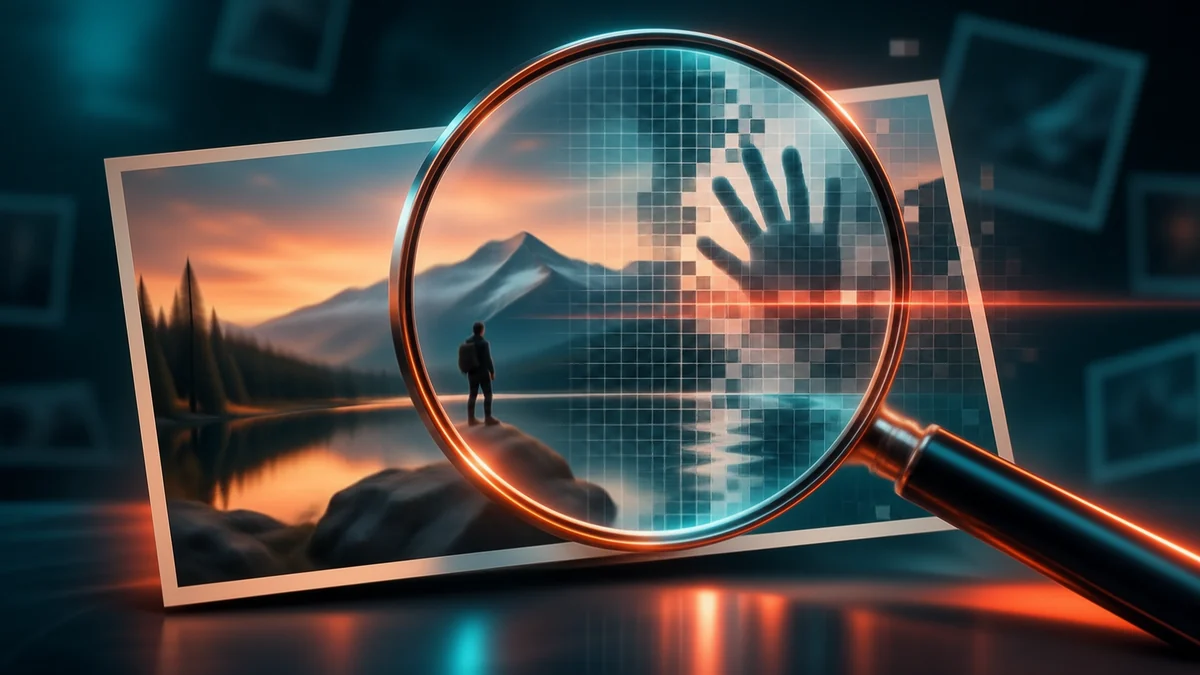
You usually cannot determine with certainty whether an image is AI-generated just by looking at it. A better method is to combine provenance tools, watermark checks, source verification and visual inspection. Google’s SynthID Detector can identify supported AI-generated media carrying a SynthID watermark, C2PA Content Credentials can reveal cryptographically verifiable provenance information, and Google’s “About this image” can show where an image has appeared and what metadata or AI-related signals are available.
Key takeaways
- No single visual clue or detector can prove with 100 percent certainty that an image is AI-generated.
- Google’s SynthID Detector is now available globally in English and can check images, video and audio for supported SynthID watermarks.
- C2PA Content Credentials can carry cryptographically verifiable provenance about how media was created or edited.
- Google’s “About this image” can show where an image has appeared online, how other sites describe it, available metadata and some AI-related signals.
- A missing watermark, metadata field or Content Credential does not prove that an image is genuine.
- The strongest verification process combines source history, provenance, watermarking, contextual research and careful visual inspection.
Why do visual “tells” alone fail now?
For years, one of the most common ways to spot an AI-generated image was simply to look closely. People were told to search for strange hands or extra fingers, distorted faces, garbled text, impossible reflections, repeated background patterns, objects that appear to merge into one another and lighting or shadows that do not make physical sense. Those clues can still be useful, but they are not proof. Modern image-generation systems have become much better at producing anatomically plausible people, readable text, realistic lighting and convincing detail. At the same time, real photographs can look unusual because of compression, motion blur, optical distortion, heavy editing or unusual camera angles. That creates two risks:
- A synthetic image can look completely believable.
- A real image can look strange enough to be falsely labelled as AI-generated.
That is why visual inspection should be treated as the beginning of an investigation rather than the conclusion. A better set of questions is where the image originally came from, whether it has appeared elsewhere online, whether it contains provenance information, whether a watermarking system recognises it, whether metadata indicates AI generation or editing, and whether independent reporting supports what the image claims to show. A strong conclusion should come from several pieces of evidence rather than one visual oddity. No single clue, however striking, is enough to settle the question on its own.
What is Google SynthID?
SynthID is Google DeepMind’s system for adding and detecting imperceptible digital watermarks in AI-generated media. Google says SynthID can be embedded directly into supported images, video, audio and text. In plain terms, SynthID tags content when it is created so that it can be recognised later.
The watermark is designed to remain invisible to people while still being detectable by Google’s tools. According to Google DeepMind’s SynthID documentation, the technology is intended to help identify content that has been generated or altered using participating AI systems. Google says it has already applied SynthID to very large volumes of AI-generated content across its products. Importantly, SynthID is not the same as a generic classifier that looks at an image and guesses whether it appears synthetic.
Instead, it checks for a specific embedded watermarking signal. That makes a positive detection more meaningful than a purely visual guess, but it also creates an important limitation: If no SynthID watermark is found, that does not prove the image is real. The image may have been generated by a system that does not use SynthID, may have been processed in a way that affects detectability, or may simply fall outside the technologies the tool supports.
What is Google SynthID Detector?
SynthID Detector is Google’s verification tool for checking whether supported media contains a SynthID watermark. Google originally launched the detector in 2025 for journalists and media professionals. In October 2026, Google expanded access globally. According to Google’s October 2026 announcement, the SynthID Detector is now available globally in English. Google says users can check images, video and audio.
The detector can identify supported AI-generated media from Google’s systems and participating partners. Google’s current announcement names partners including OpenAI; NVIDIA; kakao; and apple, with support being added. Google says the detector can also indicate where in a piece of media a SynthID signal is most likely to be present. That makes it useful for checking media that may have been generated or edited by participating AI systems.
Does SynthID Detector detect every AI image?
No. This is one of the most important limitations to understand. SynthID Detector is a watermark detector, not a universal AI-image detector. If the tool finds a valid SynthID signal, that provides useful evidence that the media was created or altered using an AI system participating in that watermarking ecosystem. If it does not find one, the result is inconclusive. A missing SynthID signal should never be translated into “This image is definitely real.” The correct interpretation is “No supported SynthID watermark was detected.” Those are very different statements.
Can Gemini check whether an image was made with Google AI?
Yes. Google now also allows users to check for SynthID signals through some of its consumer products. According to Google DeepMind, users can upload an image, video or audio clip into supported Google experiences and ask whether it was generated or altered using Google AI.
Google says Gemini, Search and Chrome can check for SynthID watermarks where supported. This gives users another route to investigate media without necessarily using the standalone SynthID Detector portal. However, the same limitation applies: a negative result does not prove the content is authentic.
What are C2PA Content Credentials?
C2PA stands for the Coalition for Content Provenance and Authenticity. It develops an open technical standard for recording and verifying the history of digital media. The user-facing implementation is commonly known as Content Credentials. According to the official C2PA specification, a Content Credential can contain provenance information such as how an asset originated, what software or hardware created it, details of edits or transformations, information about previous versions, cryptographic hashes, digital signatures and AI-related disclosure information.
The information is stored in a cryptographically signed structure known as a C2PA Manifest. That signed structure makes tampering easier to detect. This is fundamentally different from asking an algorithm to judge whether an image “looks AI-generated.” C2PA focuses on provenance: the documented history of the media.
What can Content Credentials tell you?
When available, Content Credentials can provide useful information about an image’s creation and editing history. For example, they may show which compatible camera or application created the image, whether recognised editing software modified it, what kinds of edits were made, whether generative AI was disclosed and whether the provenance information remains cryptographically valid. These details help readers judge how an image was made, not just how it looks.
The current C2PA 2.4 specification also includes an AI Disclosure Assertion, designed to carry machine-readable information about AI involvement. That means Content Credentials can increasingly help users distinguish between different kinds of media history. An image might be camera-captured and untouched, camera-captured but edited, partly modified with generative AI and fully AI-generated. Those distinctions are often more useful than a simplistic “real versus fake” label.
Does having Content Credentials prove an image is real?
Not by itself. Content Credentials are evidence about provenance, not a magical truth certificate. C2PA’s standard is designed to make provenance information cryptographically verifiable and tamper-evident. That can tell you whether particular signed claims about the media remain intact.
It does not automatically prove that every claim made about the image is factually correct. For example, a genuine photograph with valid provenance can still be accompanied by a misleading caption. An old photograph can also be presented as though it were taken yesterday. So even when Content Credentials are present, you still need to evaluate the context.
Does missing C2PA information mean an image is real?
No. The absence of Content Credentials means only that no usable C2PA provenance information is available through the method you used to check. There are many legitimate reasons for this. An image may come from a camera that does not implement C2PA, editing software that strips metadata, a social network that re-encodes the file, a screenshot, an older workflow created before Content Credentials were added and a source that never attached provenance information.
Therefore: No Content Credential does not mean “real.” It also does not automatically mean “fake.” It simply means that this particular provenance signal is unavailable.
How do you use Google’s “About this image”?
Google’s About this image feature is designed to provide context about an image found online. According to Google’s official guide, the feature can help users understand how other websites use and describe the image, what news or fact-checking sources say about it, available metadata, information suggesting AI generation or editing and whether a supported SynthID watermark is present. You can access it through Google Lens and, on supported Android devices, Circle to Search. Google’s current flow is:
- Save or screenshot the image you want to investigate.
- Open the Google app.
- Tap the Google Lens icon in the search bar.
- Select the image.
- Swipe up to view more information.
- Tap About this image when it is available.
Google says the feature can then provide additional context around the image. Availability and interface wording can vary by device, region and Google product. Use whichever route is available on your device. On supported Android devices, you can also use Circle to Search:
- Activate Circle to Search.
- Circle or tap the image.
- Open the resulting search information.
- Swipe up.
- Select About this image.
What can “About this image” tell you?
One of its most useful functions is showing how an image has appeared elsewhere online. Google says it can surface information about where the image or similar images have appeared; how other sites describe it; what fact-checkers or news sources say; available metadata; AI-related information; and SynthID signals, when supported. Seeing that history is often the fastest way to tell whether an image is being reused out of context.
This can help reveal misleading context. For example, suppose a photograph is shared with the claim that it shows a disaster that happened today. If “About this image” reveals that the same photograph appeared online five years earlier in a completely different country, the problem may not be that the image itself is fake. The image may be real but misrepresented. That distinction is crucial.
Can Google Photos show AI information?
Yes, in some cases. Google’s current Photos support documentation says Google Photos can surface information stored in a photo’s metadata, including AI-related information when it is available. It is a useful extra clue, but not a verdict on its own. On Android, the documented process is:
- Open Google Photos.
- Select the image.
- Tap More and then About.
- Scroll to How this was made.
Google notes that metadata can sometimes indicate whether an image was edited with AI. However, metadata has important limitations. Google explicitly warns that some metadata can be changed or removed. So metadata should be treated as useful evidence, not definitive proof.
What should journalists and students still do manually?
Tools are useful, but they should not replace basic verification. The most reliable approach is to use multiple signals. Work through the steps below in order, and treat each one as evidence rather than proof. A practical workflow is:
1. Find the original source
Try to identify where the image first appeared. Ask: Who posted it? Is that account or publisher credible? Did they actually create the image? Is there an earlier source? A reposted image may have lost metadata, captions or provenance information.
2. Use Google “About this image”
Check how the image has appeared elsewhere. Look for earlier versions, news coverage, fact-checks, different captions, metadata and AI-related signals. This shows whether the image is new, recycled or taken from somewhere else.
3. Check for Content Credentials
If C2PA information is available, inspect the provenance history. Pay attention to creation source, editing history, AI disclosure and signature validity. If it is absent, treat that as inconclusive rather than suspicious.
4. Check SynthID
Use Google’s SynthID Detector or compatible Google verification tools when relevant. A positive SynthID detection can provide evidence that the content was generated or altered using a supported AI system. A negative detection should be treated as inconclusive.
5. Inspect the image manually
Visual abnormalities can still be useful warning signs. Look at hands and faces, text, reflections, shadows, perspective, repeated patterns, objects merging unnaturally and background geometry. Use these as reasons to investigate, not as final proof.
6. Verify the claim attached to the image
This is often more important than determining whether the pixels themselves are synthetic. A completely authentic photograph can still spread misinformation if it is old, cropped, mislabelled, taken in a different location and attached to a false story. Image verification and claim verification are related but separate tasks.
7. Compare all the evidence
The strongest conclusion comes from several signals pointing in the same direction. For example SynthID watermark detected, Content Credentials indicate generative AI and original source states the image was AI-generated. That combination is much stronger than simply noticing an odd-looking hand.
Can reverse image search help?
Yes. Reverse image search can help you determine whether the same or similar image appeared online earlier. Google Lens is particularly useful for this because it can show visually similar results and related pages. This can expose common forms of misinformation, such as an old photograph reposted as a current event, a photograph from one country presented as another, a manipulated image derived from an older original and a cropped image that removes important context. Reverse image search does not prove whether an image is AI-generated, but it can reveal provenance and context that visual inspection misses.
Should you trust metadata?
Metadata is useful, but it is not infallible. Image metadata can contain information such as camera model, creation date, editing software, creator information and AI-related fields. Because it travels with the file, it can offer early clues about where an image came from.
However, metadata can often be removed or altered. Google explicitly notes this limitation in its Photos documentation. That means metadata saying “AI-generated” can be useful evidence, missing AI metadata does not prove an image is genuine and a creation date in metadata should not automatically be treated as authoritative. Cryptographically signed provenance systems such as C2PA are generally more robust than ordinary editable metadata, but even those still need to be interpreted in context.
Are online AI-image detector websites reliable?
They should be treated cautiously. Many third-party tools use machine-learning classifiers that analyse an image and assign a probability that it was AI-generated. Those systems can produce false positives; false negatives; different results for the same image; and poor results after compression, cropping or editing.
A probability score such as “87% AI” should therefore not be treated as proof. This is one reason watermarking and provenance approaches such as SynthID and C2PA are useful: they attempt to provide information about origin rather than simply guessing from visual patterns. That said, even provenance tools do not eliminate the need for source verification.
Can any AI-image detector be 100 percent accurate?
No. There is currently no universal detector that can reliably classify every image on the internet as AI-generated or real with perfect accuracy. Different generators use different technologies. Some content contains watermarks. Some does not. Images can also be cropped, resized, screenshot, recompressed, edited, combined with real photographs and partially generated by AI.
Those transformations make binary classification increasingly difficult. The safest rule is: Treat detector results as evidence, not verdicts. The strongest verification comes from combining provenance, watermarks, metadata, source history, reverse image search, independent reporting and visual analysis.
What is the best way to tell if an image is AI-generated?
There is no one-click answer. The last step in the list below matters most. If an image involves a real person, breaking news, politics, crime or another serious allegation, incorrectly labelling it AI-generated can cause harm just as surely as accepting fabricated media as genuine. For most people, the best process is:
- Check the source.
- Use Google “About this image.”
- Look for Content Credentials.
- Check SynthID when relevant.
- Reverse-search the image.
- Inspect visual inconsistencies.
- Verify the claim attached to the image.
- Do not claim certainty unless the evidence supports it.
FAQ
Can I tell whether an image is AI-generated just by looking at it?
Not reliably. Visual abnormalities can justify further investigation, but increasingly capable image generators make appearance alone an unreliable test. Use provenance, watermarks and source history alongside what you can see.
What is SynthID?
SynthID is Google DeepMind’s system for embedding and detecting imperceptible watermarks in AI-generated media. The watermark is invisible to people but can be detected by supported Google tools.
Is SynthID Detector available to everyone?
Yes. Google expanded SynthID Detector globally in English in October 2026. It can check supported images, video and audio for SynthID watermarks.
Does SynthID detect every AI-generated image?
No. It detects supported SynthID watermarks only. If no watermark is found, that does not prove the image is real, because it may have come from a system that does not use SynthID.
What are C2PA Content Credentials?
C2PA Content Credentials are cryptographically verifiable provenance records that can contain information about how digital media was created, edited or processed. They document an image’s history rather than judging how it looks.
Can Content Credentials show AI use?
Yes. Current C2PA specifications support provenance information about editing and creation history, including machine-readable AI disclosure information. That helps separate camera-captured, edited and AI-generated media.
Does an image without Content Credentials mean it is genuine?
No. Many genuine images do not carry Content Credentials, so their absence is inconclusive. It tells you only that no usable provenance information was found by the method you used.
What does Google “About this image” show?
It can show where an image has appeared online, how other sources describe it, available metadata, fact-checking context and some supported AI-related signals. It is most useful for spotting images that are being reused out of context.
How do I use “About this image”?
Open the image in Google Lens, swipe up through the results and tap About this image when available. Supported Android devices can also access it through Circle to Search.
Can Google Photos tell whether an image was edited with AI?
Sometimes. Google Photos can display AI-related metadata under How this was made when that information is present. Google warns that metadata can be modified or removed, so a blank result is not proof.
Is a result from one AI detector enough?
No. One detector should not be treated as proof. Combine provenance, watermarking, source history, contextual research and visual inspection before drawing a conclusion.
Does no watermark mean an image is real?
No. A missing watermark means only that the watermarking system did not identify a supported signal. It does not establish authenticity.
Is a real photograph always trustworthy?
No. A genuine photograph can still be miscaptioned, taken out of context, reused from an older event or falsely attributed to another location. Verifying the claim attached to the image matters as much as verifying the pixels.
What is the safest way to verify a suspicious image?
Use several independent methods: check its original source, run Google “About this image,” inspect Content Credentials, test for SynthID when relevant, reverse-search the image and verify the claim surrounding it. Do not claim certainty unless the evidence supports it.