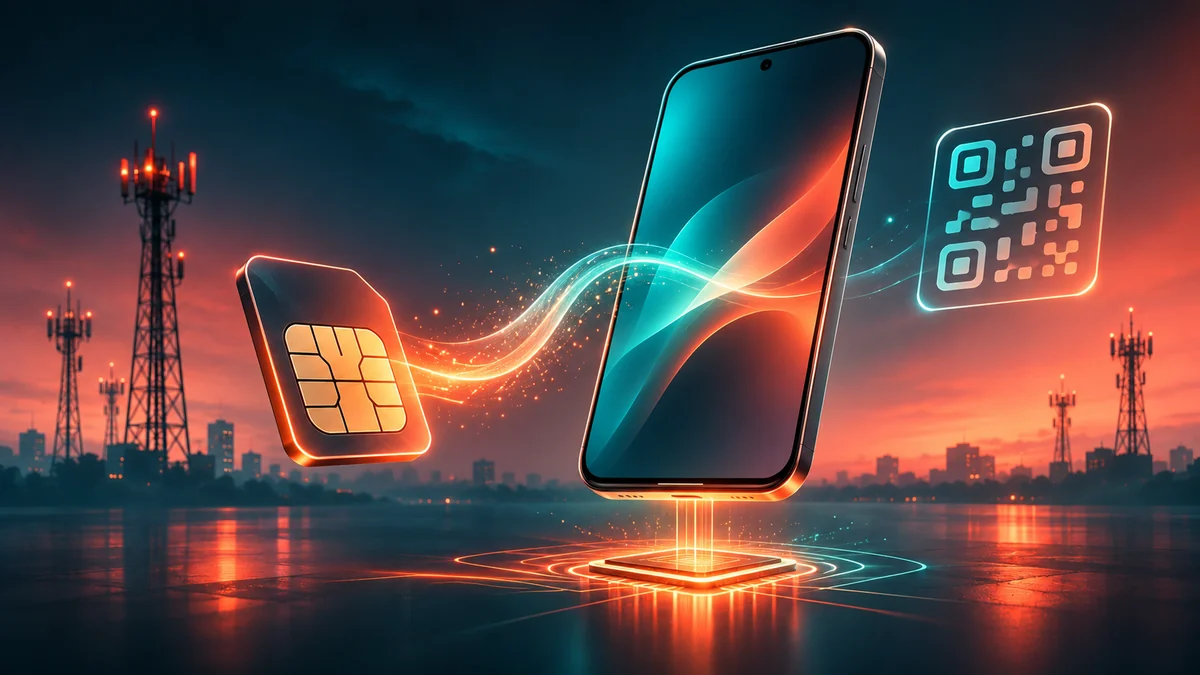
An eSIM is a digital SIM profile built into a compatible device. In India, Jio, Airtel and Vi all offer eSIM services, but their activation processes differ. Jio and Airtel now support app-based conversion from a physical SIM, while Vi supports both app and SMS-based activation. You will normally need your device’s 32-digit EID, access to your registered mobile number and a compatible phone.
Key takeaways
- Jio, Airtel and Vi support eSIM in India on compatible devices.
- Jio lets existing customers request conversion through the MyJio app and also documents an SMS method.
- Airtel lets existing customers initiate conversion through the Airtel App.
- Vi supports eSIM activation through the Vi app or SMS, although its official page currently lists some circles where eSIM is unavailable.
- You generally need your device’s 32-digit EID to convert an existing physical SIM to an eSIM.
- Do not delete an existing eSIM profile unless the carrier specifically instructs you to do so, because restoring service may require carrier assistance.
- eSIM and physical-SIM dual-SIM combinations depend on the exact phone model.
What is an eSIM?
An eSIM, or embedded SIM, is a digital SIM that lets a compatible phone connect to a mobile network without requiring a removable nano-SIM for that particular mobile plan. Apple describes an eSIM as a digital SIM built into the device, while carriers provision the mobile plan electronically rather than handing you a replacement plastic SIM card. That does not mean an eSIM is a different kind of mobile connection. Your phone number, plan and network service still come from the telecom operator. What changes is the way the SIM credentials are stored and activated.
On supported devices, eSIM can also make dual-SIM configurations easier. For example, Apple’s Dual SIM documentation says supported iPhones can use a physical SIM alongside an eSIM, while newer models can support two eSIMs simultaneously depending on the device and carrier. The exact activation method is determined by your telecom operator. In India, the current official workflows from Jio, Airtel and Vi involve combinations of carrier-app requests, EID verification, OTP authentication, confirmation calls or SMS and downloading an eSIM profile onto the phone. That is why copying an old activation guide can be risky: carriers can change their migration processes over time.
Which Indian carriers support eSIM?
The three major private telecom operators — Reliance Jio, Bharti Airtel and Vodafone Idea (Vi) — currently offer eSIM services in India. Each carrier maintains its own official activation page Jio eSIM, Airtel eSIM and Vi eSIM. The basic requirement is similar across all three: you need an eSIM-compatible device, and the carrier needs to support eSIM service for that device and account. However, availability is not completely identical. Jio states that both existing and new Jio customers with eligible eSIM-supported smartphones can use Jio eSIM.
Airtel says devices supporting eSIM functionality can be used with Airtel eSIM and provides setup instructions for several major smartphone brands. Vi also supports eSIM on eligible devices, but its current eSIM activation page says the service is not yet available for customers in Himachal Pradesh, Jammu & Kashmir, Odisha, the North East and Assam. So before beginning, check whether your phone supports eSIM and whether your carrier currently supports eSIM for your number and circle.
Which phones support eSIM?
There is no reliable rule such as “all new phones support eSIM.” Support depends on the exact device model, regional variant and carrier. Jio provides a compatibility checker on its official eSIM page, where users can select the device type and brand. Airtel’s current eSIM documentation names supported categories including Apple iPhone, google Pixel, Samsung, Motorola, Vivo, Oppo and OnePlus.
The carrier also provides device-specific configuration instructions because menu paths differ between manufacturers. Vi similarly tells customers to use an eSIM-supported handset and provides its own supported-device information through its eSIM page. Following the carrier’s own guide for your phone brand is therefore safer than relying on a generic walkthrough.
What should you check before converting?
Before requesting an eSIM, confirm your exact phone variant supports eSIM, your telecom provider supports eSIM for that device, your current mobile number is active, you can receive OTPs or carrier verification calls, you know the device’s 32-digit EID and your phone has internet access when it is time to download the eSIM profile. An EID is a unique identifier associated with the device’s embedded SIM hardware. Jio and Airtel both say users can obtain their device details by dialling *#06# on supported phones. The exact Settings path varies by manufacturer.
How do you activate a Jio eSIM?
Jio currently offers an app-based process through MyJio, which is the simplest route for most existing customers. According to Jio’s official eSIM page, the process begins by opening MyJio and searching for “Switch to eSIM.” The steps below follow Jio’s current flow, and the details may change as the app is updated. The current flow is:
- Open the MyJio app using the Jio number you want to convert.
- Search for Switch to eSIM.
- Select the Switch to eSIM option.
- Verify your registered email ID using the OTP sent by Jio.
- Enter the EID of the phone on which you want the eSIM.
- Verify the OTP sent to your Jio mobile number.
- Wait through the required verification period.
- Answer Jio’s automated verification call and provide confirmation.
- Install the eSIM profile on your device when prompted.
Jio says a two-hour cooling period applies after the request is submitted before the automated confirmation call is made. Jio currently lists the verification call as coming from +91 2235072222. If that call is missed, Jio says customers in India can send: RECALL to 199 to request another callback.
Can you request Jio eSIM by SMS?
Yes. Jio’s official eSIM request page also documents an SMS-based conversion process. It requires the device’s EID and IMEI and uses SMS verification followed by the same cooling-period and confirmation process. For most users, the MyJio workflow is simpler because the app guides you through the required information rather than requiring long identification numbers to be typed into an SMS.
What happens after Jio approves the request?
The eSIM profile still needs to be installed on your device. Jio’s activation page provides device-specific instructions and notes that the phone should be connected to Wi-Fi or a hotspot if it has not received the eSIM profile notification. Jio also explicitly warns that if you delete an active Jio eSIM profile and lose network service, you may need to visit a Jio store with your device and valid identification to restore it.
How do you activate an Airtel eSIM?
Airtel’s current process begins inside the Airtel App. According to Airtel’s official eSIM guide, existing customers can convert their physical SIM by initiating an eSIM upgrade through the app. Airtel says its verification call is generally placed after the eSIM request has been submitted. The final profile-installation process depends on the manufacturer. The current Airtel process is:
- Open the Airtel App and sign in with the number you want to convert.
- Find the Upgrade to eSIM option.
- Choose whether the eSIM is for the current device or another device.
- Enter the device’s 32-digit EID.
- Verify the OTP sent to your registered Airtel number.
- Complete Airtel’s verification call.
- Download and activate the eSIM profile on the phone.
How do you install Airtel eSIM on an iPhone?
Airtel says compatible iPhones should be connected to mobile data or Wi-Fi. After the eSIM request is approved, a notification such as Finish Setting Up Mobile Service can appear. Follow that prompt and the on-screen instructions. Apple’s own eSIM setup guide confirms that supported iPhones can receive carrier activation notifications or use other provisioning methods depending on the carrier.
What about Pixel and Samsung phones?
For Pixel devices, Airtel currently directs users to: Settings → Network & Internet → Add mobile network → Download a SIM. Menu wording can vary by Android version. For supported Samsung phones, Airtel documents the route: Settings → Connections → SIM Manager → Add eSIM Airtel also provides separate setup guidance for Motorola, Vivo, Oppo and OnePlus devices on its official page.
Is there anything important after requesting an Airtel eSIM?
Yes. Airtel currently states that the eSIM should be configured within four hours of initiating the request; otherwise, the request may be automatically cancelled. The carrier also warns that after the eSIM request is completed, incoming and outgoing SMS may remain barred for 24 hours, including OTP messages.
That is particularly important if you depend on the number for banking, payments or other SMS-based authentication. Airtel also says users should not delete the eSIM profile during setup. If an Airtel eSIM profile is deleted, the carrier directs customers to visit a nearby Airtel store with identification.
How do you activate a Vi eSIM?
Vi currently supports both app-based and SMS-based eSIM activation. Its official eSIM activation page provides separate processes for converting an existing number and transferring an eSIM between devices. Vi says the profile can become available after successful consent, and users can select the VI INDIA plan from their phone’s eSIM settings when the profile is offered. For an eligible number, the current app-based flow is:
- Open the Vi app.
- Go to Help → Raise a service request → Activate eSIM.
- Select Android or iOS.
- Choose whether you are activating the eSIM on the same device or another device.
- Enter the new device’s 32-digit EID.
- Verify the OTP sent to your registered Vi number.
- Confirm the request by sending eSIMY to 199 within the specified confirmation window.
- Download the eSIM profile from the phone’s Add eSIM settings after it becomes available.
Can Vi eSIM be activated by SMS?
Yes. Vi’s official SMS process currently asks prepaid and postpaid customers to send an SMS to 199 containing the keyword for the eSIM request, the device’s EID, device type and registered email address. This route works without the app, which helps if you cannot or prefer not to install it.
Vi then requires an SMS confirmation and an automated verification call. The eSIM profile can subsequently be delivered to the device, while Vi also sends activation information to the registered email address. Because the SMS format contains a 32-digit EID and other account-specific information, copying it incorrectly can cause the activation to fail. Using Vi’s live official page while sending the request is safer than relying on an older saved guide.
Is Vi eSIM available everywhere in India?
Not currently. Vi’s official page says eSIM remains unavailable for customers in Himachal Pradesh, Jammu & Kashmir, Odisha, North East and Assam. Customers in other circles should still check Vi’s live page before beginning because carrier availability can change.
What can go wrong with eSIM activation?
Most eSIM problems come down to one of four areas: compatibility, incorrect identification information, incomplete verification or deleting the profile too early. Knowing which of these applies saves time when you speak to your carrier’s support team. The five checks below cover the usual causes, in roughly the order you are likely to meet them.
1. Your phone may not support eSIM
Do not assume that two phones with similar names have identical eSIM support. Regional hardware variants can differ. Use the manufacturer’s documentation and the carrier’s compatibility checker before starting.
2. An incorrect EID can stop activation
The EID identifies your device’s embedded SIM hardware. Jio, Airtel and Vi all use the EID during their current conversion workflows. Vi specifically warns that entering an incorrect EID can cause profile activation to fail.
3. You may temporarily lose SMS access
Carrier security measures can affect SMS service during or after migration. Airtel currently says incoming and outgoing SMS remains restricted for 24 hours after completion of an eSIM request, including OTPs. If you rely heavily on banking OTPs, plan the conversion accordingly.
4. Deleting the eSIM profile can cause service loss
Deleting an eSIM profile is not the same thing as simply turning a SIM line off. Both Jio and Airtel warn that deleting an eSIM profile can require additional carrier assistance to restore service. Do not delete the profile because an installation appears slow unless your operator specifically tells you to do so.
5. Dual-SIM behaviour depends on your phone
A device can support eSIM without supporting every possible SIM combination. Apple, for example, says iPhone XS, iPhone XS Max, iPhone XR and later models can use Dual SIM with an eSIM, while iPhone 13 and later models can also support two eSIMs simultaneously. Android implementations differ by manufacturer and model. Check your device manual before assuming you can keep a particular physical SIM active alongside the eSIM.
Is eSIM better than a physical SIM?
Neither format is automatically better for everyone. An eSIM can be convenient because there is no physical card to move or lose, and compatible phones may let you maintain multiple mobile plans digitally. It can also make switching between stored plans or adding a travel connection easier on supported hardware. A physical SIM, however, can still be simpler if you regularly move your number between devices that do not support seamless eSIM transfer. The practical choice therefore depends on your phone, your carrier, how often you change devices, whether you use dual SIM, whether you travel frequently and how comfortable you are with digital profile transfers. For most users, the key point is that switching to eSIM does not change the underlying mobile plan or phone number unless the carrier specifically changes the connection.
FAQ
Can I get an eSIM in India?
Yes. Jio, Airtel and Vi currently offer eSIM service in India on supported devices and accounts. Vi lists some telecom circles where its eSIM service is unavailable, so check your own circle first.
Do Jio, Airtel and Vi all support eSIM?
Yes. All three carriers publish official eSIM activation procedures. Their processes are different, so use your own carrier’s live instructions rather than following a universal guide.
How do I convert a Jio physical SIM to eSIM?
Open the MyJio app, search for Switch to eSIM, verify your email and mobile number, and provide the device’s EID. Complete Jio’s confirmation call, then install the eSIM profile when it becomes available.
How do I convert an Airtel physical SIM to eSIM?
Open the Airtel App, choose the eSIM-upgrade option and enter the device’s EID. Complete the OTP and call verification, and then install the eSIM profile using your phone’s settings.
How do I activate Vi eSIM?
Eligible Vi customers can use the Vi app or Vi’s official SMS workflow. The process includes entering the device’s EID, completing verification and downloading the resulting eSIM profile.
What is an EID?
The EID is a unique identifier associated with a device’s embedded SIM hardware. Jio, Airtel and Vi currently request it during eSIM conversion. On many supported devices, it can be viewed by dialling *#06# or through the phone’s About or SIM settings.
Do I still need identity verification for eSIM?
Yes. Carrier security and customer-verification requirements still apply. An eSIM changes the way the SIM profile is provisioned, but it does not remove the operator’s verification requirements.
Can I use an eSIM and a physical SIM together?
Often, yes, on compatible dual-SIM devices, though the exact combinations depend on the phone. Apple, for example, supports physical SIM plus eSIM on many compatible iPhones, while newer models may also support two active eSIMs.
Should I delete my old eSIM profile if activation fails?
No, not unless your carrier tells you to. Jio and Airtel both warn that deleting an eSIM profile can leave the phone without service and may require store assistance to restore the connection.
Does Airtel block SMS after eSIM conversion?
Yes, temporarily. Airtel’s current eSIM page says incoming and outgoing SMS services remain barred for 24 hours after completion of the eSIM request, including OTP messages. Plan around this if you rely on SMS codes for banking.
Is Vi eSIM available everywhere in India?
No. Vi currently says its eSIM service is unavailable for customers in Himachal Pradesh, Jammu & Kashmir, Odisha, the North East and Assam. Check Vi’s live eSIM page for the latest availability before starting.