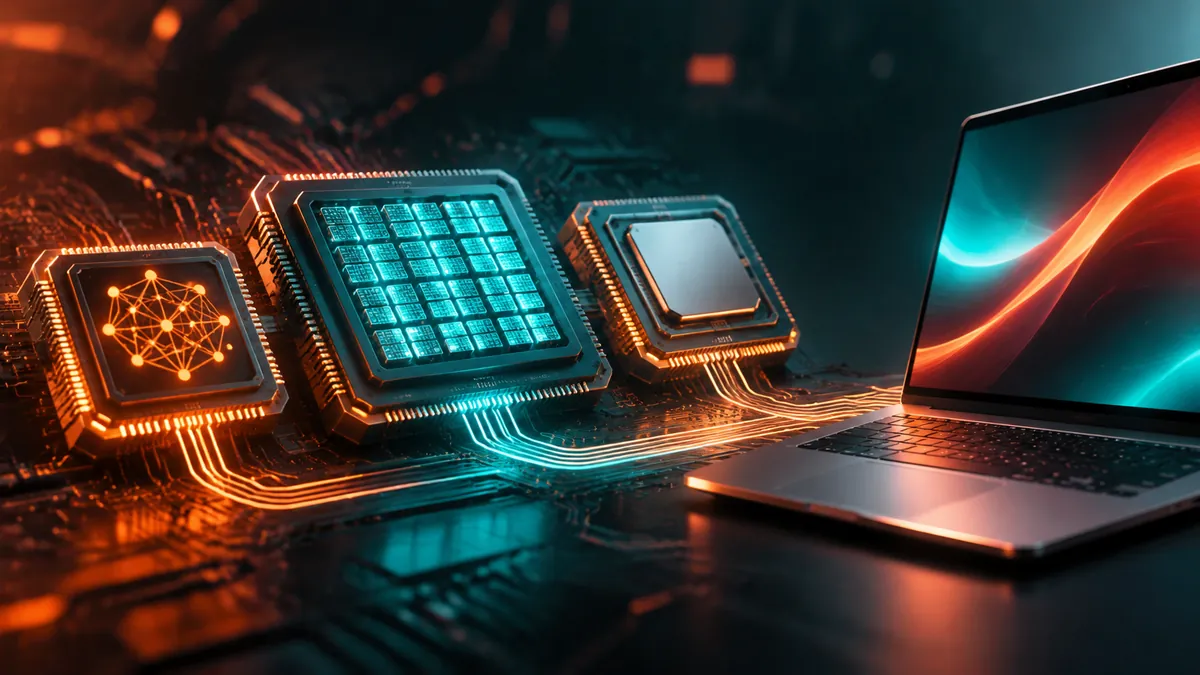
An NPU, GPU and CPU perform different jobs inside a modern laptop. The CPU handles general computing, the GPU accelerates graphics and demanding parallel workloads, while the NPU specialises in running artificial intelligence tasks efficiently. If you are buying a laptop for on-device AI, Microsoft’s Copilot+ PC certification makes 40 NPU TOPS an important specification to understand.
What is an NPU in a laptop?
A Neural Processing Unit (NPU) is a specialised processor designed to accelerate artificial intelligence and machine learning workloads directly on a device. Unlike a traditional CPU, which handles a wide variety of computing instructions, an NPU is optimised for the mathematical operations frequently used by neural networks.
Its biggest advantage is power efficiency. AI features such as background noise cancellation, camera effects, speech recognition and certain language-model operations can run on an NPU without constantly demanding processing time from the CPU or GPU. This makes the technology particularly useful in laptops, where battery consumption, heat and sustained performance matter.
An NPU also makes local AI processing possible. When an application runs a supported AI model entirely on the device, the associated inference does not need to be sent to a remote cloud server. However, this does not automatically make every AI application private: an application can still communicate with cloud services for other features.
NPU vs GPU vs CPU: What is the difference?
Although all three processors can contribute to AI workloads, their underlying designs serve different purposes. Modern AI PCs combine these processing engines so that applications can use the hardware best suited to a particular task.
| Feature | CPU | GPU | NPU |
|---|---|---|---|
| Full form | Central Processing Unit | Graphics Processing Unit | Neural Processing Unit |
| Primary purpose | General computing | Graphics and parallel computing | AI and machine learning acceleration |
| Architecture | Optimised for general-purpose instructions and sequential workloads | Many processing cores designed for parallel workloads | Specialised neural-network computing hardware |
| AI applications | Smaller workloads and general inference | Large AI workloads and demanding model execution | Power-efficient, sustained AI inference |
| Power efficiency for sustained AI | Generally less specialised | Depends on GPU and workload | Designed for efficient AI processing |
CPU: The general-purpose processor
The CPU is responsible for the everyday operations that keep a laptop running. It executes operating system instructions, manages applications, handles calculations and coordinates communication between hardware components. Its flexible architecture makes it suitable for a wide variety of tasks, including those that cannot easily be divided into parallel operations.
CPUs can execute AI workloads too, particularly smaller models and operations that do not require dedicated acceleration. However, using a general-purpose processor for sustained AI inference can consume more power than using specialised hardware designed for that workload.
GPU: The high-performance parallel processor
A Graphics Processing Unit is designed to execute many calculations simultaneously. This architecture makes it particularly effective for rendering graphics, video processing, scientific computing and demanding AI workloads that involve large amounts of parallel computation.
For example, training neural networks, generating images with Stable Diffusion and running larger local language models can benefit considerably from a powerful GPU. Dedicated desktop and workstation GPUs also provide substantial computing resources and dedicated video memory, which become important when working with larger AI models.
The trade-off is power consumption. A powerful discrete GPU can draw considerably more electricity than a laptop NPU, particularly under sustained workloads. This makes it less suitable for continuously running small background AI features when battery efficiency is the priority.
NPU: The power-efficient AI processor
The NPU is designed specifically for neural-network operations. Rather than competing with the GPU on raw computing power, it focuses on executing supported AI workloads efficiently, particularly when those workloads need to operate continuously or frequently in the background.
Windows Studio Effects, for example, can use NPU acceleration for supported camera and audio features. Other applications can use NPUs for speech processing, image recognition and local AI inference, depending on hardware and software compatibility.
The distinction is straightforward: the CPU provides flexibility, the GPU provides high parallel throughput, and the NPU provides specialised, power-efficient AI acceleration.
What are TOPS in AI processors?
TOPS stands for Trillions of Operations Per Second. It measures how many computational operations a processor can theoretically perform in one second, making it a commonly used specification for comparing the advertised AI processing capabilities of NPUs.
For example, an NPU rated at 40 TOPS can theoretically perform up to 40 trillion operations per second under the conditions used for that rating. A 50 TOPS NPU has a higher advertised peak throughput, although this does not automatically mean that every AI application will run 25% faster.
Actual performance depends on several additional factors, including the processor architecture, supported numerical precision, memory bandwidth, software optimisation, model size and the specific AI workload. TOPS is therefore a useful hardware specification, not a complete measure of real-world AI performance.
One distinction matters when comparing processors: NPU TOPS and total platform AI TOPS are not interchangeable. The latter can combine the advertised AI capabilities of the CPU, GPU and NPU. For Copilot+ PC eligibility, Microsoft’s requirement concerns the NPU itself, not the combined platform figure.
Why does Microsoft require 40 NPU TOPS for Copilot+ PCs?
Microsoft introduced the Copilot+ PC category to identify Windows computers with dedicated hardware capable of supporting a new generation of on-device AI experiences. One of its central hardware requirements is an NPU capable of at least 40 TOPS.
According to Microsoft’s Windows specifications, qualifying consumer systems also need at least 16GB of RAM and 256GB of storage, alongside a compatible processor and supported version of Windows 11. These requirements distinguish Copilot+ PCs from ordinary Windows computers that can access cloud-based AI services. Some of the experiences associated with Copilot+ PCs include:
- Windows Studio Effects for supported camera and microphone enhancements.
- Live Captions with translation for supported audio and video content.
- AI-powered image generation and editing features.
- Improved Windows search and other on-device AI experiences.
- Recall, subject to availability, configuration and applicable privacy settings.
Microsoft’s requirement is intended to provide a minimum level of dedicated AI processing capability for these experiences. It does not mean that every feature in Windows Copilot requires 40 TOPS, or that every AI application needs an NPU.
For example, the standard Microsoft Copilot service can be accessed through supported Windows computers using cloud processing. A Copilot+ PC is required for the hardware-dependent experiences that rely on its additional AI capabilities.
Which processors meet the 40 TOPS Copilot+ requirement?
Several processor families from Qualcomm, Intel and AMD have introduced NPUs that meet or exceed Microsoft’s 40 TOPS threshold. Their advertised specifications provide a useful reference when comparing AI-capable laptops.
| Processor family | Example NPU capability | Copilot+ eligibility |
|---|---|---|
| Qualcomm Snapdragon X Elite | Up to 45 TOPS | Yes |
| Intel Core Ultra 200V | Up to 48 TOPS | Yes |
| AMD Ryzen AI 300 | Meets the 40+ TOPS requirement on qualifying models | Yes |
| AMD Ryzen AI Max+ 395 | Up to 50 NPU TOPS | Yes |
AMD’s Ryzen AI Max+ 395 is an interesting example because its advertised AI processing capability reaches up to 126 total platform TOPS, including up to 50 NPU TOPS. The distinction matters because the NPU figure alone determines whether the processor meets Microsoft’s dedicated NPU threshold.
Intel’s Core Ultra 200V family also demonstrates how quickly the category has developed. Selected processors, including the Core Ultra 7 258V and Core Ultra 9 288V, advertise 47 and 48 NPU TOPS respectively, comfortably exceeding the minimum requirement.
These figures are manufacturer specifications rather than direct comparisons of real-world performance. Laptop cooling, memory configuration, software support and the particular processor model can all influence the experience.
Do you need an NPU or a GPU for AI?
The answer depends on the type of artificial intelligence applications you intend to use. An NPU is particularly useful for everyday AI features that operate locally and repeatedly, while a powerful GPU is more appropriate for computationally demanding creative and development workloads. Consider the following scenarios:
- Everyday productivity: An NPU is useful for supported background AI features, video-call enhancements and speech processing.
- AI-assisted writing and summarisation: Cloud-based services can work without a dedicated NPU, while supported local language models can benefit from one.
- Image generation: A discrete GPU is generally preferable for demanding local image-generation workloads, although supported smaller models can run on other accelerators.
- Local AI development: A GPU with sufficient memory is often the better choice for running larger models, experimentation and model training.
- Battery-conscious computing: An NPU is useful when AI features need to run frequently without placing a sustained workload on the main processor or discrete graphics card.
It is also worth understanding that an NPU does not replace a GPU. If you regularly edit high-resolution video, play demanding games, generate complex AI images or experiment with larger machine learning models, a powerful GPU remains valuable. An NPU adds another processing option rather than eliminating the need for existing hardware.
Should you buy a Copilot+ PC in 2026?
If you are purchasing a laptop primarily for office work, browsing, programming and cloud-based AI applications, you do not necessarily need a Copilot+ certified device. A conventional modern laptop can still provide excellent performance, and many AI services perform their processing remotely.
However, if you want to use Microsoft’s hardware-dependent Windows AI features, run supported models locally and benefit from dedicated AI acceleration, choosing a Copilot+ PC makes more sense. The 40 TOPS requirement provides a useful starting point, but it should not be the only specification influencing your purchase.
Memory capacity, processor performance, battery life, display quality and storage remain important. If you plan to run local AI models, also examine GPU performance and available memory rather than assuming that a high NPU TOPS rating guarantees compatibility with every model.
Frequently asked questions
Is an NPU better than a GPU for AI?
Neither is universally better. An NPU is designed for power-efficient AI inference, particularly sustained background workloads, while a GPU generally offers greater throughput for demanding AI applications, large models and training workloads.
Can I use Microsoft Copilot without a 40 TOPS NPU?
Yes. The standard Microsoft Copilot service supports cloud-based AI experiences on compatible Windows devices. The 40 TOPS NPU requirement applies to the Copilot+ PC category and its associated hardware-dependent experiences.
Is 40 TOPS enough to run ChatGPT locally?
TOPS alone cannot determine whether a computer can run a particular language model. Model size, available RAM, memory bandwidth, software compatibility and the supported processor architecture also matter. Furthermore, accessing ChatGPT through its online service is different from running a language model locally on your laptop.
Does an NPU improve laptop battery life?
An NPU can reduce power consumption when supported AI workloads are transferred from the CPU or GPU to the specialised processor. However, actual battery life depends on the laptop’s overall hardware, display, software, workload and power-management settings.
Can a laptop have both an NPU and a dedicated GPU?
Yes. A laptop can combine a CPU, an integrated or discrete GPU and an NPU. These components provide different computing capabilities, allowing supported applications to select an appropriate processing engine for their workloads.
The main difference between an NPU, GPU and CPU comes down to their intended workloads: general computing, high-throughput parallel processing and power-efficient AI acceleration. For Copilot+ PCs, the key specification is a minimum of 40 NPU TOPS, but users working with demanding local AI models should continue to consider GPU performance and memory. When choosing your next laptop, would you prioritise a 40+ TOPS NPU for everyday AI features or a powerful discrete GPU for more demanding AI applications?